 PX7 Brainstack
Short breaks for iPhone & iPad
Find something to do away from your phone.
Take a 5, 10 or 15 minute break with reading, drawing, writing, puzzles or a walk. Set your own reminders, or start whenever you have a moment.
Free · iOS 17 / iPadOS 17 or later · Danish and English

Brainstack
Choose a short break
5 · 10 · 15 minutes
Choose the time you have. Brainstack suggests one activity to get you started. You can also make a stack with several activities when you have longer.
Set your own reminders
Choose one or two daily reminder times and the weekdays that suit you. You decide whether to use reminders.
PX7 Brainstack
See how Brainstack works
Pick an idea, change it to suit you and start when you have time.
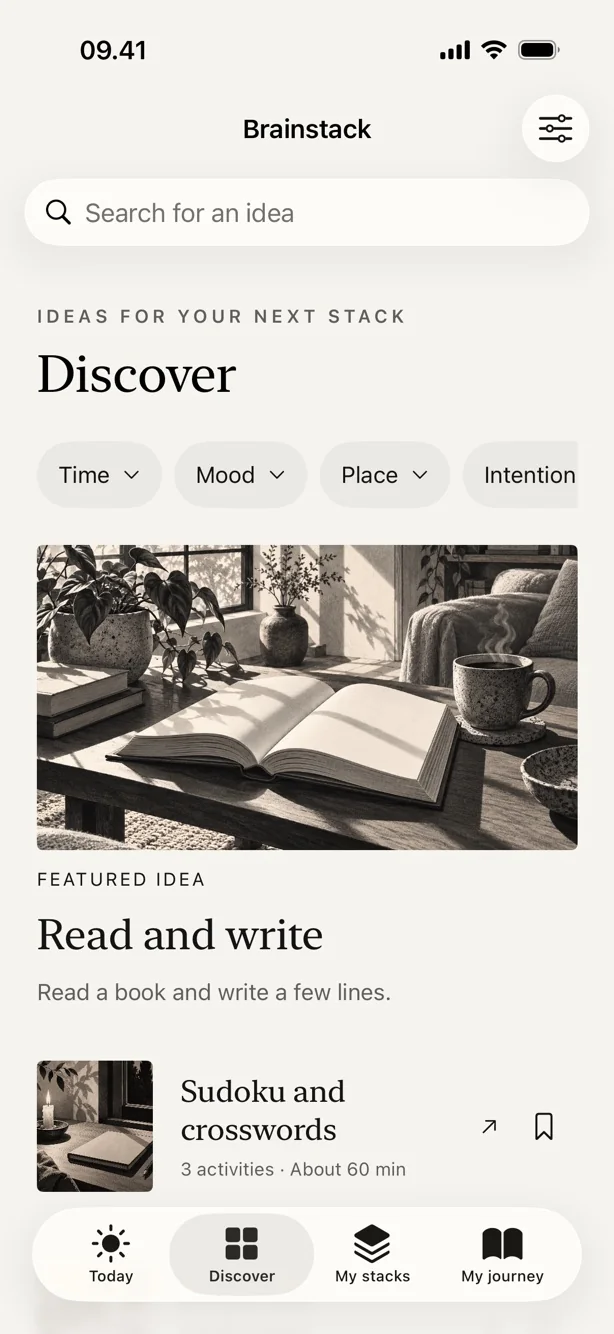
Choose an idea
Browse activities for reading, writing, drawing, puzzles and walks.
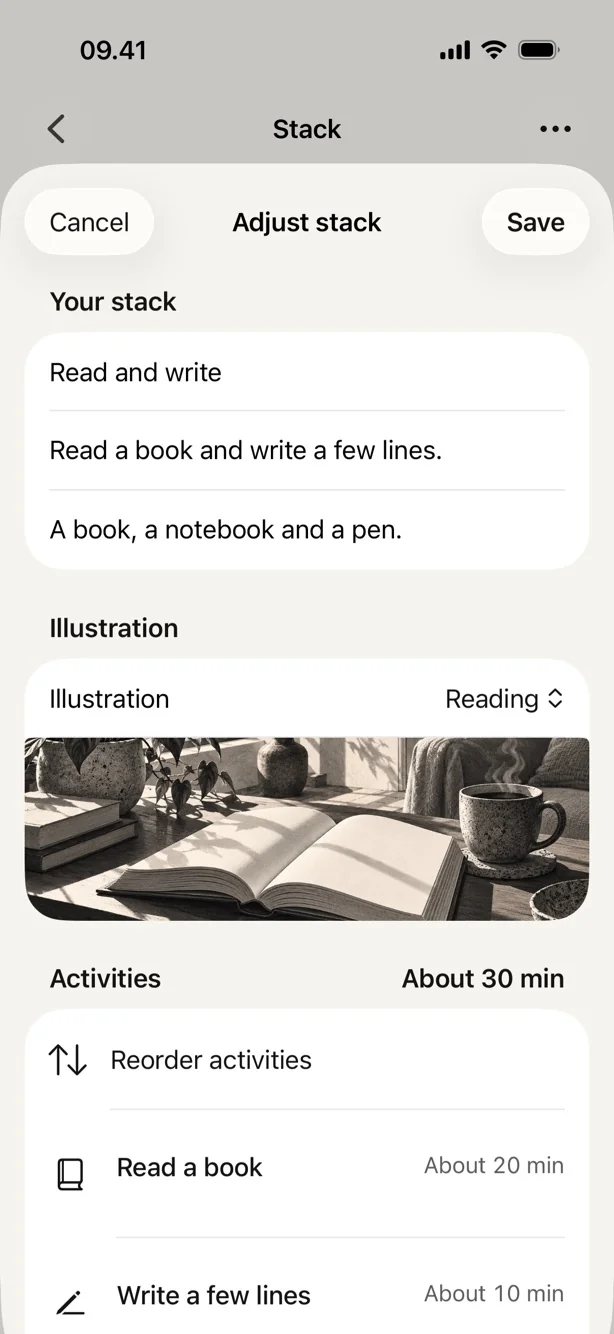
Make your stack
Keep one activity or combine a few. Change their order and suggested times.
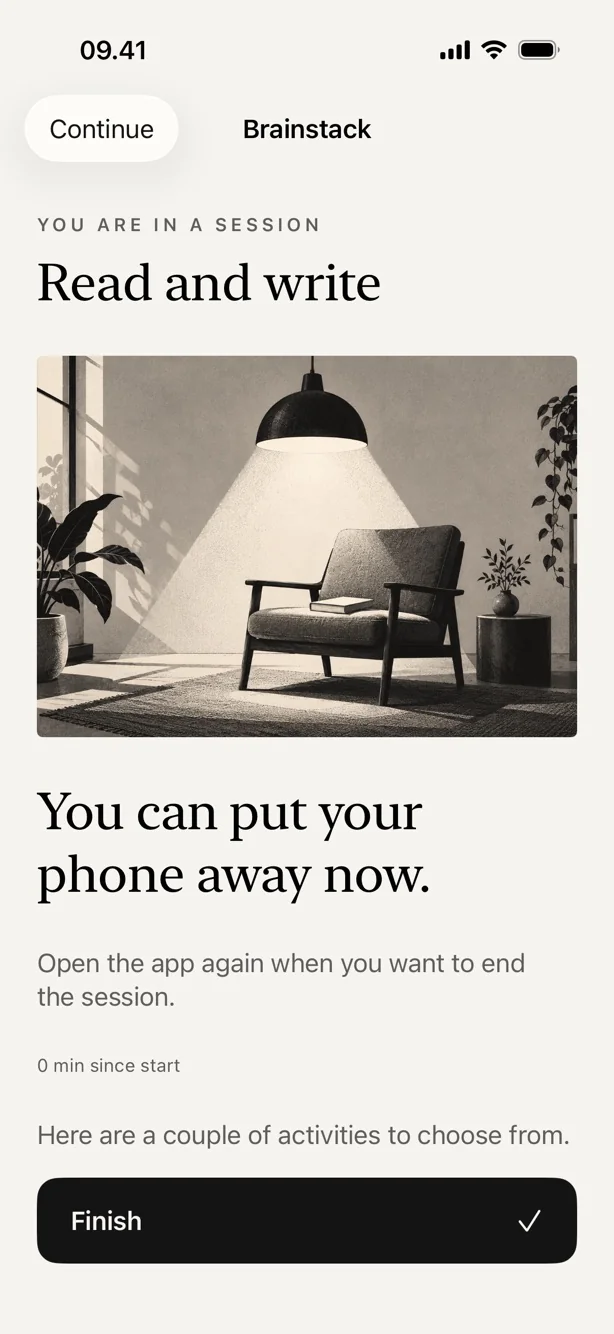
Put your phone away
Start your session. Return to the app when you want to finish.
Brainstack
What is a stack?
A stack is a collection of activities you want to spend time on. Pick an idea in the app, or make your own with one activity or several. Change the order and suggested times.
A stack you can change
Book and notebook
- Read a chapter20 min
- Write a few lines10 min
Choose one or both. The times are suggestions.
Keep a note and a private photo
Add an optional note and a photo from your camera or photo library. Find them with your sessions in My journey, including reflections you add to past sessions.
See how you spent your time
Brainstack records the time from starting a session to finishing it. Edit or remove the recorded time whenever you want. There are no streaks, points or daily targets.
Resume a session or start a new one
When you return to an unfinished session, choose Resume or Start new. You decide when to finish; you do not have to complete every activity.
Find an activity to do with a friend
Discover includes ideas for activities you can do together, as well as reading, writing, drawing, puzzles and walks on your own.
Your private library
Stacks, sessions, notes and photos are saved on your device and work offline. When iCloud is available, your private library can sync between your devices.
Questions about Brainstack
What can I use Brainstack for?
Use it when you want something to do away from your phone. Choose an idea such as reading, drawing, writing, sudoku or a walk, or create your own. A stack can have one activity or several.
How do short breaks work?
Choose 5, 10 or 15 minutes. Brainstack suggests one activity for the time you have. You can also create your own stack with one activity or several.
Can I choose when Brainstack reminds me?
Yes. In Settings, choose one or two daily reminder times and select the weekdays you want. Reminders are optional.
Can I add a photo to a reflection?
Yes. Add one optional photo from your camera or photo library, including to a past session. Notes, photos and session history stay private and are not included in shared stack links.
Does Brainstack block other apps?
No. Brainstack helps you choose an activity and start a session. It does not block apps or enforce screen-time limits.
Do I need an account or an internet connection?
Your private stacks, sessions, notes and photos work offline without signing in to Brainstack. Optional iCloud sync uses your Apple account and an internet connection. Creating and managing sharing links uses Sign in with Apple.
Is Brainstack free?
Yes. PX7 Brainstack is free on the App Store for iPhone and iPad. It requires iOS 17 or iPadOS 17 or later and is available in Danish and English.
Do I have to follow a timer or keep a streak?
No. Activity times are suggestions. You can finish a session when you want, without completing every activity. There are no streaks, points or daily targets.
Available now
Brainstack for iPhone and iPad
Download Brainstack from the App Store. Your private stacks and sessions work offline, with optional iCloud sync between your devices.
Share a copy of a stack through a link, or save an independent copy of someone else’s idea. Creating and managing sharing links uses Sign in with Apple. Notes, photos and session history are not included in shared links.
iOS 17 / iPadOS 17 or later · Danish and English